How two-factor authentication works

Using simple, repetitive, or leaked passwords remains one of the leading causes of unauthorized account access. Statistics show that nearly half of US users had their credentials compromised over the past year. Such incidents can lead to the loss of sensitive information, financial damage, and complete loss of account control.
This is why adding an extra layer of protection to the login process is a vital element of digital security today.
What is two-factor authentication?
Two-factor authentication (2FA) is an identity verification method where a password alone isn’t enough. To log in successfully, users must pass two independent checks.
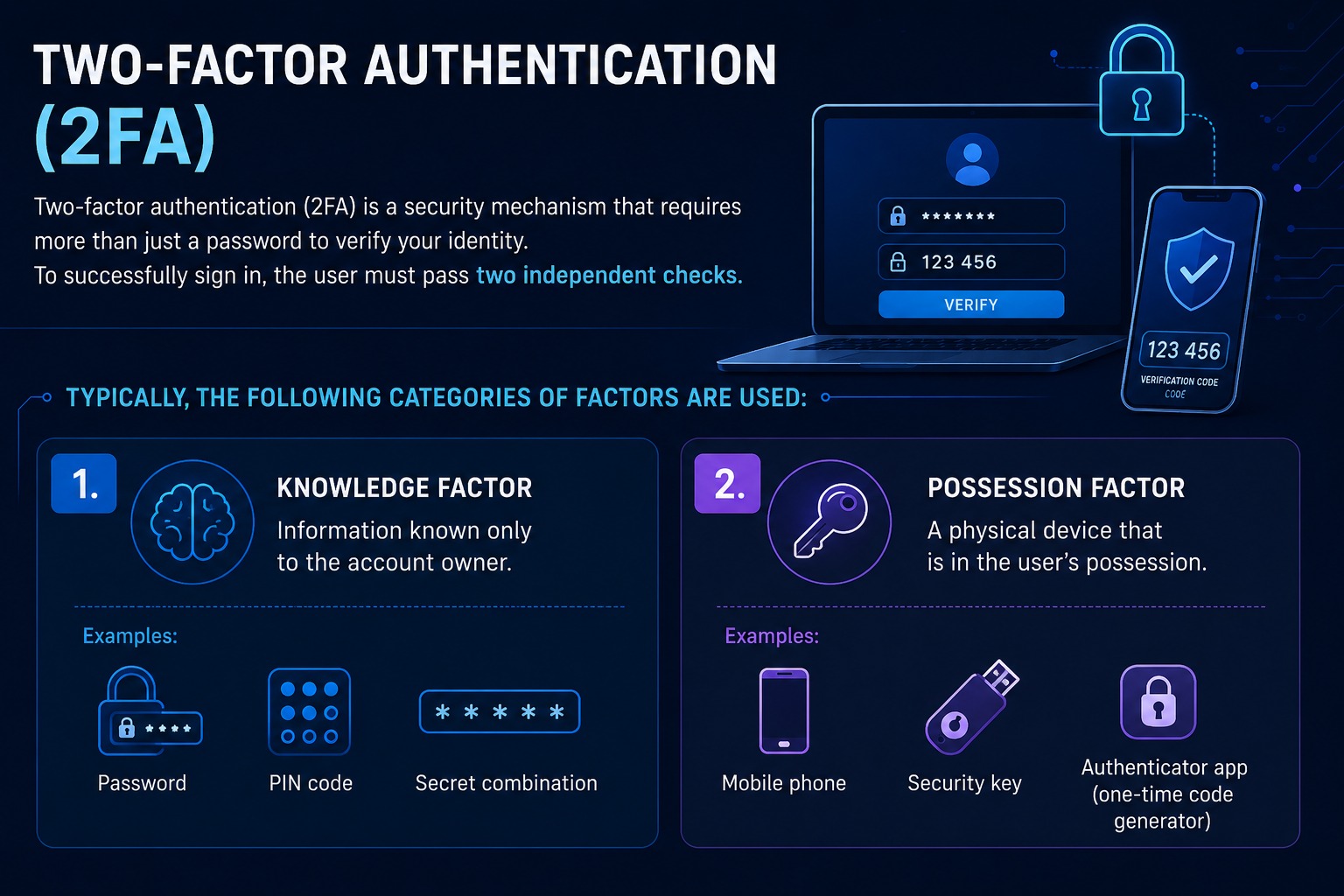
Typically, these checks rely on the following categories of factors:
- Knowledge factor — something only the account owner knows, such as a password, PIN, or security question.
- Possession factor — a physical item the user owns, like a mobile phone, a security key, or an authenticator app generating one-time codes.
Even if a hacker gets hold of your password, the lack of a second verification step makes accessing the account nearly impossible. This is especially crucial given the frequency of data breaches and phishing scams.
What is the difference between 2FA and MFA?
Two-factor authentication is actually a subset of multi-factor authentication (MFA).
The key difference is that 2FA strictly requires exactly two independent verification methods. MFA, on the other hand, is a broader approach that can use two, three, or more factors — combining passwords, biometrics, hardware tokens, one-time codes, and other identification methods.
Both methods significantly boost security. According to Microsoft, about 99.9% of compromised accounts did not have multi-factor authentication enabled.
What types of two-factor authentication are there?
Identity verification factors generally fall into three main categories:
- What you know — a password or PIN;
- What you have — a smartphone, hardware key, or similar device;
- Who you are — biometrics like fingerprints or facial recognition?
The most common ways to implement 2FA include:
- One-time codes sent via SMS or email.
- Authenticator apps, such as Google Authenticator.
- Push notifications on a mobile device.
- Hardware security keys.
- Biometric verification.
- Magic Links — logging in via a secure link sent to your email.
Which methods offer the best protection?
Ranking these methods by security level, from most to least secure, looks like this:
- Hardware security keys.
- Authenticator apps.
- Push notifications.
- Biometrics.
- SMS codes.
- One-time codes sent via email.
Cybersecurity experts recommend using hardware keys and dedicated authenticator apps, as SMS and email are much more vulnerable to interception. This recommendation is echoed by the FBI and the Cybersecurity and Infrastructure Security Agency (CISA).
How logging in with 2FA works
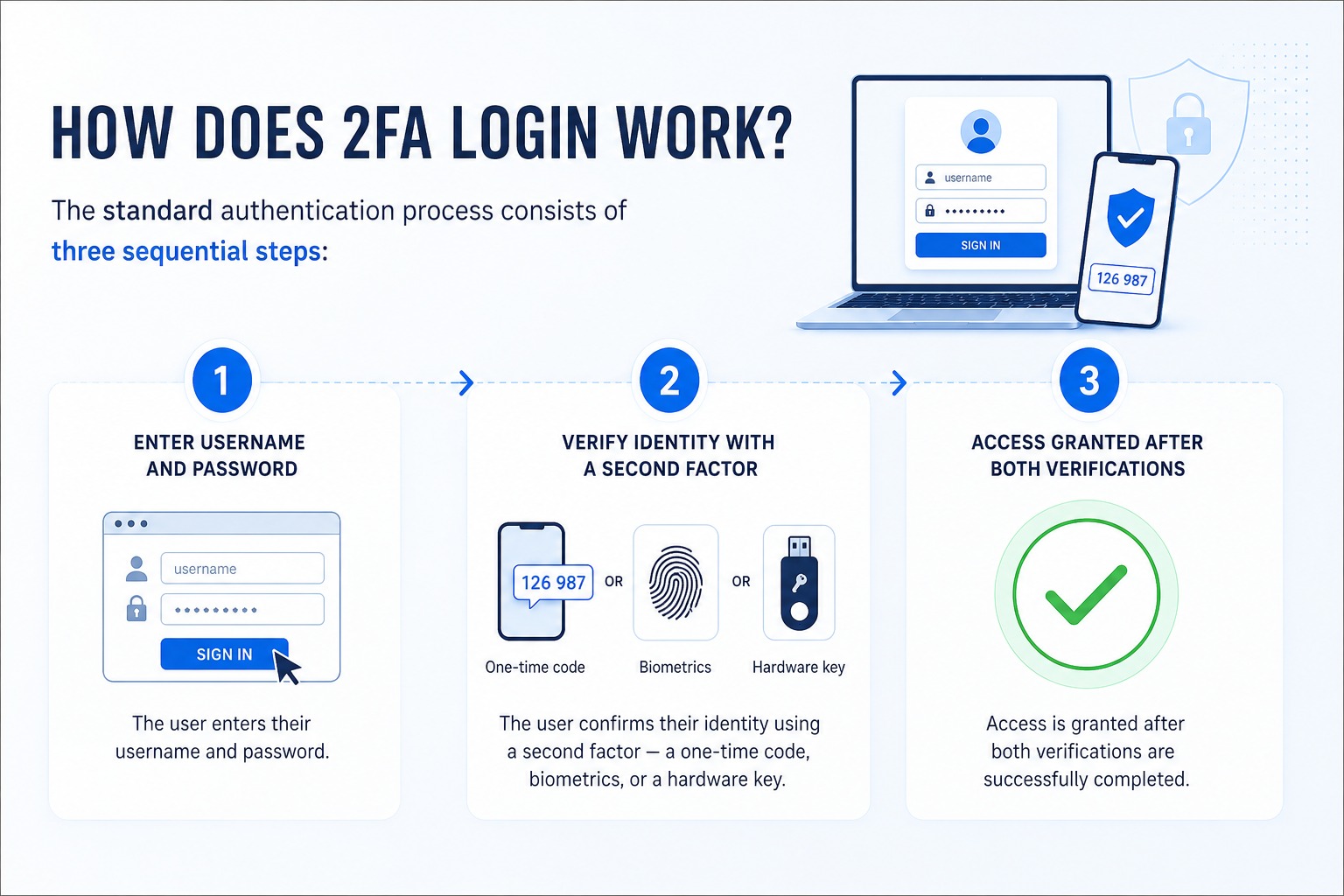
A typical login process involves three simple steps:
- Entering your username and password.
- Verifying your identity with a second factor, such as a one-time code, biometrics, or a hardware key.
- Gaining access once both checks are successfully completed.
Key benefits of two-factor authentication
- Keeps your account secure even if your password is stolen or compromised.
- Significantly reduces the success rate of phishing attacks and brute-force attempts.
- Helps prevent the theft of personal and financial information.
Potential drawbacks of two-factor authentication
- Logging in takes slightly longer due to the extra verification step;
- Losing your verification device can make regaining account access difficult;
- Some methods, like SMS and email verification, are less secure than modern alternatives.
Despite minor inconveniences, two-factor authentication remains one of the most effective tools for protecting your accounts. It dramatically reduces the risk of unauthorized access, helping you secure your personal data, financial details, and digital life.