Office automation information technology

Office automation refers to the use of hardware and software to create, store, edit, and process information. Modern office automation information technologies streamline operations by automating routine tasks and centralizing workflows, which improves the efficiency, accuracy, and overall speed of an organization.
Key office information technologies
The core infrastructure includes word processors, spreadsheets, database management systems, calendars, messaging services, and presentation software. Printers, scanners, routers, and server hardware work alongside cloud storage and enterprise solutions to create a seamless environment for collaboration and fast communication.
Document management
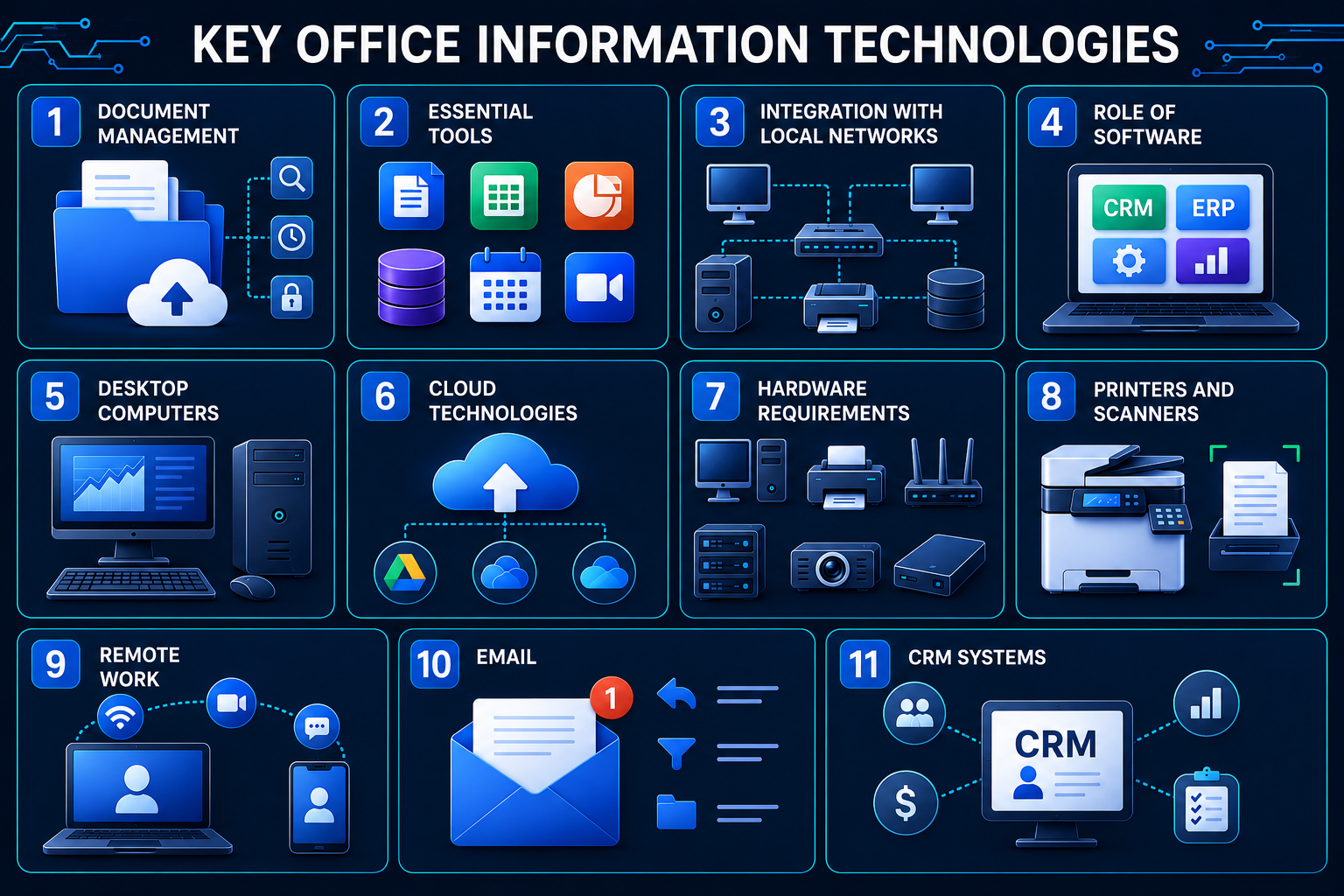
Need to find a file fast? Modern document management platforms make it super easy to create, organize, store, and pull up what you need in seconds. Version control and automated workflows mean fewer mistakes, less time digging through folders, and simpler record-keeping. Plus, files transfer instantly, so you can kiss paper goodbye and watch your admin costs drop.
Core tools
Your team probably uses word processors, spreadsheets, presentation tools, and video conferencing every single day. Platforms like Microsoft Teams and Google Workspace make it easy to chat, delegate tasks, and collaborate in real time without endless email chains.
Local area network integration
A local area network (LAN) connects all your computers, printers, and storage into one unified setup. Everyone can access shared files instantly, swap documents without duplication, and share equipment across the office. Less redundant data, faster workflows.
The role of software
From document prep to project planning, the right software keeps operations running smoothly. CRM and ERP solutions automate key business processes, give you better visibility into what’s happening, and make tracking tasks a breeze. Keep your software updated, and your productivity will follow.
Desktop Computers
Desktops still pack serious power for resource-hungry applications like design work and data analysis. Sure, laptops and mobile devices are everywhere, but desktops remain the backbone of most offices.
Cloud technologies
Work from anywhere, anytime. Cloud services like Google Drive and Microsoft OneDrive let multiple team members edit the same document simultaneously, sync changes automatically, and store everything securely without maxing out local storage.
Hardware requirements
A solid office setup needs workstations, printers, scanners, routers, servers, projectors, and external storage. Everything should work together smoothly and meet your organization’s performance needs.

Printers and scanners
These keep your office running between digital and paper worlds. Printers produce contracts and reports, while scanners turn physical documents into digital files. Multifunction devices handle printing, copying, scanning, and faxing all in one — saving money and space.
Remote work
Working from home is now business as usual. Cloud services, video conferencing, company intranets, and project management tools let your team collaborate from anywhere and access files without delays.
Email is still king for business communication. Contracts, proposals, notifications, internal updates — it all goes through the inbox. Smart features like auto-replies, templates, and filters cut down the time you spend managing mail.
CRM systems
CRM systems keep your customer data organized, track deals, and monitor sales activity. They store client interaction history, send reminders for important events, and help you analyze team performance. Hook it up with your other business apps, and you’ve got a unified system for stellar customer service.